



Service Company Website
Professional website for service explanation and contact flow.
Websites, stores, POS / ERP / CRM, dashboards, brand identity and launch assets shaped around your real workflow.
We understand the workflow first, then define the right design or system.
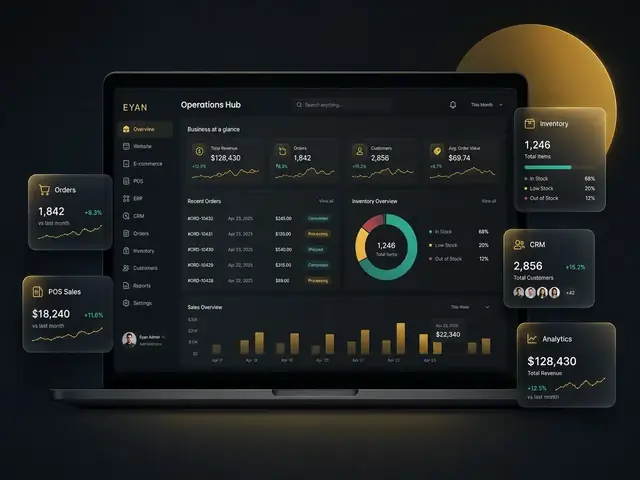
Pick the closest need and jump directly to the relevant service.
A focused selection of visual concepts across websites, stores, operational systems, dashboards, identity and launch systems.
Professional website for service explanation and contact flow.
Focused page for one offer, service or launch campaign.
EYAN connects websites, stores, management systems, data, automation, reporting and launch assets inside practical business solutions.
Clear pages that explain services, build trust and drive contact.
Service detailsProduct catalogs, order flows, offers, checkout direction and admin control.
Service detailsSales, invoices, stock movement, returns, users and daily closing.
Service detailsInventory, purchasing, expenses, departments, approvals and reporting.
Service detailsCustomers, leads, follow-ups, requests and service opportunities.
Service detailsAdmin panels, forms, approvals, validation rules and integrations.
Service detailsOperational data turned into indicators owners can monitor.
Service detailsLogo system, visual identity, guidelines and business applications.
Service detailsSocial launch assets, captions, profile setup and campaign materials.
Service detailsWe define the solution after understanding the business type, users, branches, reporting needs, complexity and required outcome.
POS, inventory, branches, reports and e-commerce readiness.
Websites, requests, CRM, customer follow-up and dashboards.
Identity, package presentation, booking flow and launch assets.
Stores, product management, orders, campaigns and integrations.
Identity, landing pages, launch systems and scalable foundations.
ERP modules, approvals, branches, users, reporting and automation.
The depth is tailored to project risk and scope, while preserving traceability from business value and requirements through design, engineering, release, operations and controlled evolution.
Validate the problem, alternatives, value, feasibility, ownership, scope boundaries and decision rights before commitment.
Observe workflows, define users, rules, data, reports, permissions, exceptions, measurable quality targets and acceptance criteria.
Design task flows, information architecture, interfaces, design system, solution architecture and delivery plan around real usage.
Build governed data models, APIs, business rules, accessible interfaces, validation and automated tests with maintainable structure.
Prepare environments, CI/CD, integrations, observability, quality evidence, performance, recovery, security and compliance checks.
Prepare data, content, users, procedures and cutover; deploy with rollback controls, validate production and stabilize the service.
Monitor outcomes, support users, maintain security and reliability, improve from evidence, then scale, modernize, replace or retire responsibly.
The complete framework contains 17 phases from pre-initiation through operations, improvement, scale, replacement or controlled retirement. Deliverables and gates are tailored to project type and risk.
Technical execution with business analysis and project discipline.

Software Engineer | Business Analyst | Project Management & Digital Operations
I lead EYAN with a mix of technical execution and business understanding. The goal is not only to build polished interfaces, but to turn real workflows into websites, systems, dashboards and launch assets that help business owners operate with more clarity, control and room to grow.
We start by understanding the business model, users, data and operating environment.
Websites, systems, identity and launch assets are treated as connected parts of the business.
Delivery includes usage explanation, operating notes and support according to the agreed scope.
The foundation can later grow into modules, dashboards, e-commerce, integrations or automation.
Clear answers for clients who want to understand who we are, what we build and how a project starts.
EYAN is a remote digital business solutions practice that helps businesses build websites, e-commerce, POS, ERP, CRM, dashboards, brand identity and launch systems around real operations.
A website presents the business and helps customers understand, contact or buy. A business system organizes internal operations such as sales, stock, customers, users, permissions, approvals and reports.
Yes. Scope is defined from the business type, users, branches, data, permissions, reports, integrations, operating risk and future growth needs.
There is no fixed public price for every project. Pricing is prepared after understanding scope, users, branches, modules, design needs, integrations, support expectations and delivery risk.
Yes. Handover, training, hypercare, support and maintenance can be arranged according to the project type, operational sensitivity and commercial agreement.
Send a short description of your business, current workflow and the result you want. We will help define the right solution before development starts.